
How to interface a Clock Buffer IC with other components in a circuit?
Leave a message

In the realm of electronics, the seamless integration of components is crucial for the optimal performance of a circuit. As a supplier of Clock Buffer IC, I understand the significance of effectively interfacing these ICs with other components in a circuit. This blog post aims to provide a comprehensive guide on how to interface a Clock Buffer IC with various components, ensuring a stable and efficient circuit operation.
Understanding the Basics of a Clock Buffer IC
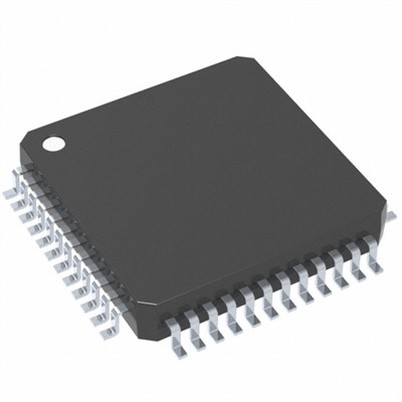
Before delving into the interfacing process, it is essential to have a clear understanding of what a Clock Buffer IC is and its role in a circuit. A Clock Buffer IC is a specialized integrated circuit designed to receive a clock signal and distribute it to multiple output channels with minimal delay and distortion. It acts as a signal amplifier and isolator, ensuring that the clock signal remains stable and consistent across all connected components.
The primary functions of a Clock Buffer IC include:
- Signal Amplification: Boosting the strength of the input clock signal to drive multiple loads without significant signal degradation.
- Signal Isolation: Preventing the loading effects of connected components from affecting the input clock source, thus maintaining signal integrity.
- Fan-Out: Providing multiple output channels to distribute the clock signal to various parts of the circuit.
Interfacing a Clock Buffer IC with a Microcontroller
One of the most common applications of a Clock Buffer IC is interfacing it with a microcontroller. Microcontrollers often require a stable and accurate clock signal to operate correctly, and a Clock Buffer IC can help ensure that the clock signal is distributed evenly to all relevant components.
Step 1: Select the Right Clock Buffer IC
The first step in interfacing a Clock Buffer IC with a microcontroller is to select the appropriate IC based on the specific requirements of your circuit. Consider factors such as the number of output channels, the operating frequency range, and the input/output voltage levels.
Step 2: Connect the Input Signal
Connect the input pin of the Clock Buffer IC to the clock output pin of the microcontroller. Make sure to use appropriate decoupling capacitors to filter out any noise or interference from the power supply.
Step 3: Connect the Output Channels
Connect the output channels of the Clock Buffer IC to the clock input pins of the other components in the circuit, such as sensors, actuators, or other integrated circuits. Ensure that the output impedance of the Clock Buffer IC is compatible with the input impedance of the connected components.
Step 4: Power Supply and Grounding
Provide a stable power supply to the Clock Buffer IC and ensure proper grounding to minimize noise and interference. Use bypass capacitors near the power supply pins to filter out any high-frequency noise.
Interfacing a Clock Buffer IC with a Real Time Clock IC
A Real Time Clock IC is used to keep track of the current time and date, and it often requires a stable clock signal to operate accurately. Interfacing a Clock Buffer IC with a Real Time Clock IC can help ensure that the clock signal is distributed evenly and without distortion.
Step 1: Choose the Compatible Clock Buffer IC
Select a Clock Buffer IC that is compatible with the operating frequency and voltage levels of the Real Time Clock IC. Consider the number of output channels required to distribute the clock signal to other components in the circuit.
Step 2: Connect the Input Signal
Connect the input pin of the Clock Buffer IC to the clock output pin of the Real Time Clock IC. Use appropriate decoupling capacitors to filter out any noise or interference from the power supply.
Step 3: Connect the Output Channels
Connect the output channels of the Clock Buffer IC to the clock input pins of the other components in the circuit that require a stable clock signal. Ensure that the output impedance of the Clock Buffer IC is compatible with the input impedance of the connected components.


Step 4: Synchronization
In some cases, it may be necessary to synchronize the clock signal between the Real Time Clock IC and the other components in the circuit. This can be achieved by using a synchronization signal or by adjusting the phase of the clock signal.
Interfacing a Clock Buffer IC with a Clock Synthesizer IC
A Clock Synthesizer IC is used to generate multiple clock signals with different frequencies and phases from a single input clock signal. Interfacing a Clock Buffer IC with a Clock Synthesizer IC can help distribute the generated clock signals to various parts of the circuit.
Step 1: Select the Appropriate Clock Buffer IC
Choose a Clock Buffer IC that can handle the output frequencies and voltage levels of the Clock Synthesizer IC. Consider the number of output channels required to distribute the clock signals to the other components in the circuit.
Step 2: Connect the Input Signal
Connect the input pin of the Clock Buffer IC to the output pin of the Clock Synthesizer IC. Use appropriate decoupling capacitors to filter out any noise or interference from the power supply.
Step 3: Connect the Output Channels
Connect the output channels of the Clock Buffer IC to the clock input pins of the other components in the circuit that require the generated clock signals. Ensure that the output impedance of the Clock Buffer IC is compatible with the input impedance of the connected components.
Step 4: Phase Alignment
In some applications, it may be necessary to align the phases of the clock signals generated by the Clock Synthesizer IC. This can be achieved by using phase-locked loops (PLLs) or other phase alignment techniques.
Tips for Successful Interfacing
- Signal Integrity: Pay close attention to signal integrity when interfacing a Clock Buffer IC with other components. Use appropriate transmission lines, impedance matching techniques, and decoupling capacitors to minimize signal loss and interference.
- Power Supply: Provide a stable and clean power supply to the Clock Buffer IC and all connected components. Use appropriate power supply filtering and regulation techniques to minimize noise and voltage fluctuations.
- Grounding: Ensure proper grounding of all components in the circuit to minimize electromagnetic interference (EMI) and ground loops. Use a single-point grounding scheme whenever possible.
- Testing and Debugging: Thoroughly test and debug the circuit after interfacing the Clock Buffer IC with other components. Use appropriate test equipment, such as oscilloscopes and logic analyzers, to verify the performance of the clock signals and the overall circuit operation.
Conclusion
Interfacing a Clock Buffer IC with other components in a circuit is a critical step in ensuring the stable and efficient operation of the circuit. By following the steps outlined in this blog post and considering the tips for successful interfacing, you can effectively integrate a Clock Buffer IC into your circuit and achieve optimal performance.
As a supplier of Clock Buffer ICs, we are committed to providing high-quality products and technical support to help you with your circuit design needs. If you have any questions or need further assistance, please feel free to contact us for procurement and technical discussions. We look forward to working with you to achieve your electronic design goals.
References
- Horowitz, P., & Hill, W. (1989). The Art of Electronics. Cambridge University Press.
- Maxim Integrated. (2021). Clock Buffer IC Datasheets. Retrieved from https://www.maximintegrated.com/
- Texas Instruments. (2021). Real Time Clock IC Datasheets. Retrieved from https://www.ti.com/
- Analog Devices. (2021). Clock Synthesizer IC Datasheets. Retrieved from https://www.analog.com/